
Auto‑Reply on Free4Talk with AI
Answer messages instantly with your vibe. Use OpenAI or Gemini, tune behavior, and relax.
- OpenAI & Gemini support
- Custom personality & timing
- Local‑first, no tracking
Built for Free4Talk • Free and open‑source.
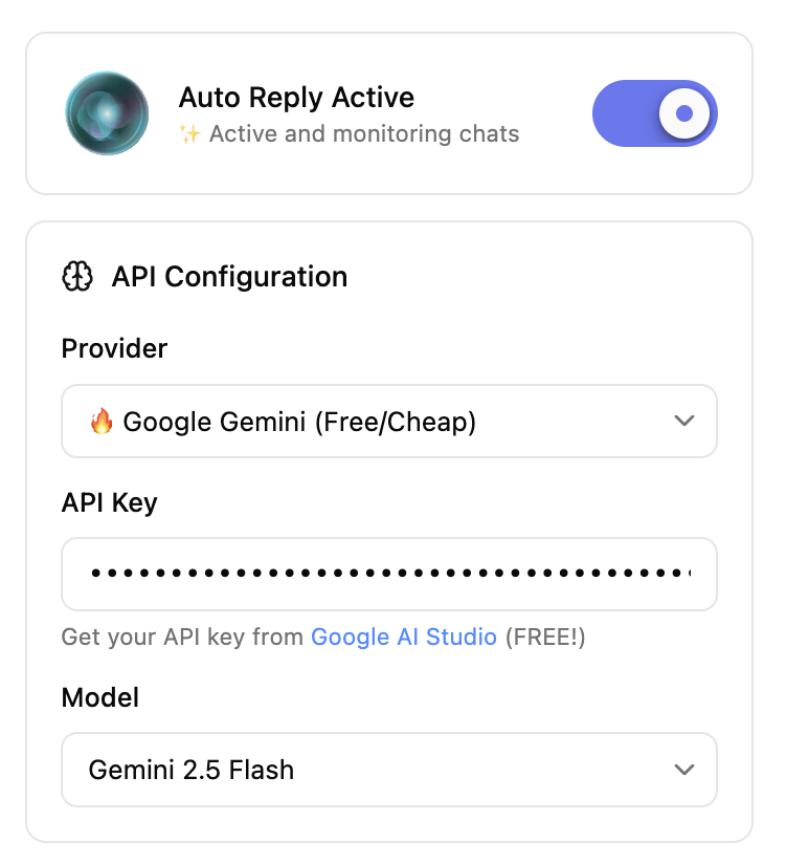
Free4Talk Auto-Reply Extension
This is how the Free4Talk Auto-Reply extension looks when installed. Configure your AI provider, set your personality, and let it handle your conversations automatically.
What is F4T Auto Reply?
A Chrome extension that automatically responds to Free4Talk messages using AI. Set it up once and never miss a conversation again.
AI‑powered replies
Smart, context‑aware responses using OpenAI or Google Gemini. Choose models that fit your style.
Full customization
Control personality, tone, timing, and length. Set reply delays and behavior presets easily.
Privacy & security
Everything is stored locally. No tracking, no analytics. Your API keys stay on your device.
Installation Guide
Follow these simple steps to install, configure, and start using the extension — no coding required.
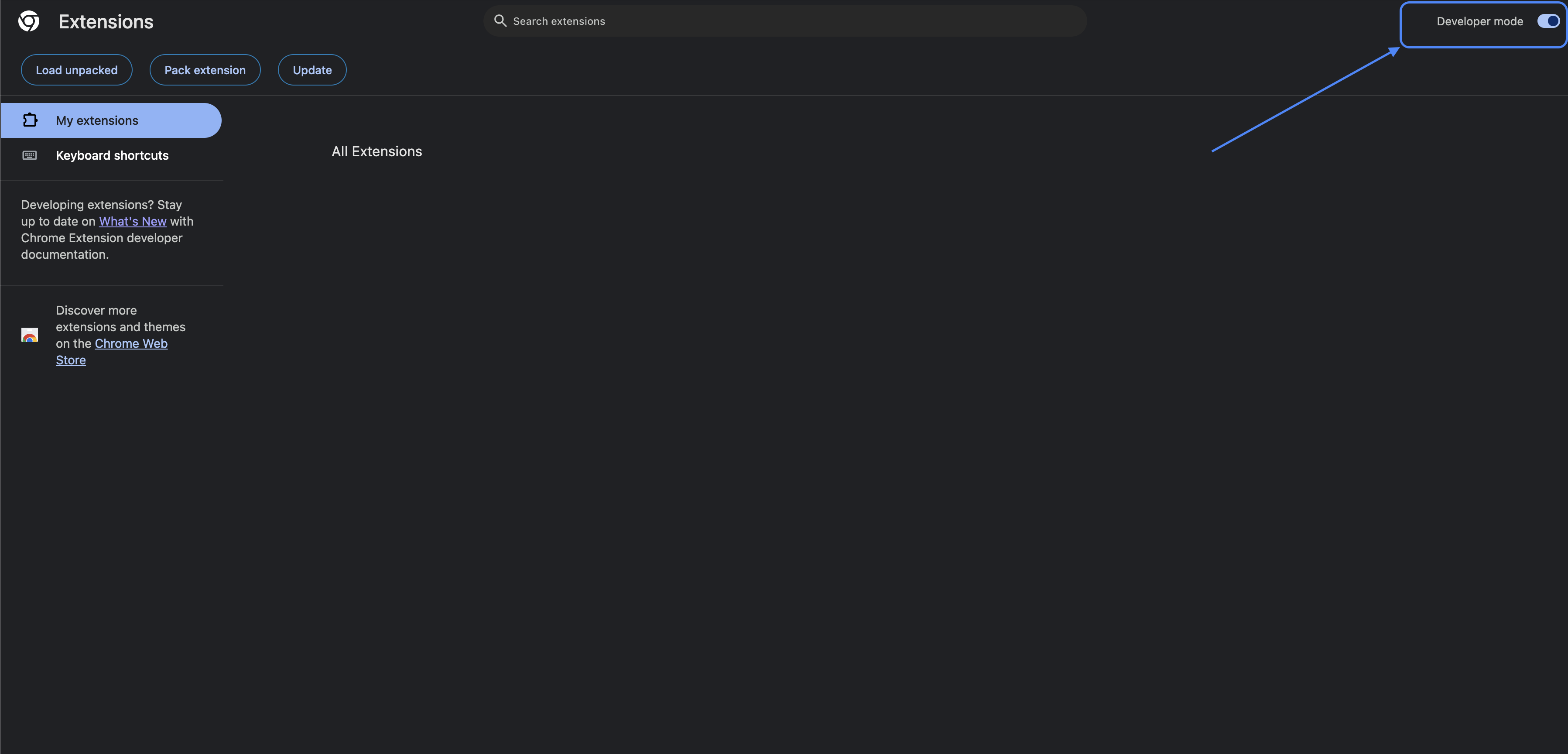
Enable Chrome Developer Mode
Developer mode lets you load extensions from a folder.
- Open Chrome and navigate to chrome://extensions.
- Turn on Developer mode in the top‑right corner.
- Confirm the toggle shows as enabled.
Why not Chrome Web Store?
Cost & Approval: $5 developer fee + unpredictable review process (weeks/months) with no approval guarantee. Unnecessary overhead for free, open-source project.
Policy & Updates: Policies change anytime, risking removal. Every update needs re-approval, delaying bug fixes and improvements.
User Control: Direct installation = full control over updates, no data collection, better privacy. Manual install is simple and secure.
Install the Extension
Download, extract, and load the extension into Chrome.
1) Download the extension
Click the Download Extension button above to get the ZIP file. Developers can clone the repository and build it locally.
2) Extract the ZIP
Right‑click the ZIP file and choose "Extract" to create a folder. You will load this folder in Chrome.
3) Load the extension in Chrome
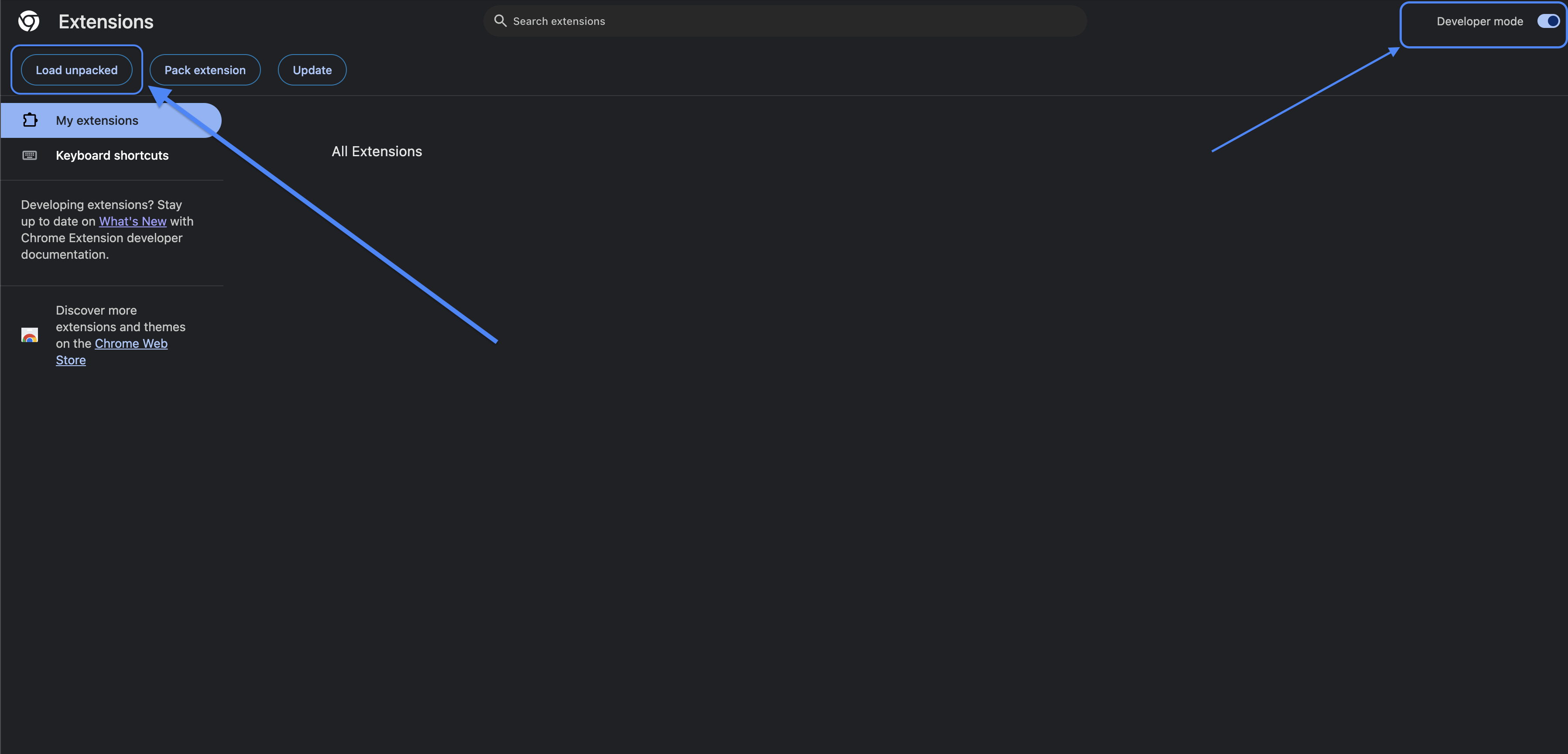
- Open Chrome and go to chrome://extensions.
- Turn on Developer mode (top‑right).
- Click Load unpacked and select the extracted
f4t-auto-reply-extensionfolder. - Reload the Free4Talk room page to activate the extension.
Set Up Your API Key
We recommend using Google Gemini as a free or low‑cost option. You can also use OpenAI if you already have access.
Option A: Google Gemini (Recommended)
- Go to Google AI Studio.
- Create or sign in with your Google account.
- Generate an API key and copy it.
- In the extension popup, choose Gemini and paste your API key.
- Select a model (we recommend Gemini 2.5 Flash Lite).
Option B: OpenAI
- Visit OpenAI Platform.
- Sign in and create an API key.
- In the extension, choose OpenAI and paste your API key.
- Select a supported model.
Configure the Extension
Open the extension popup and complete these fields.
1) API Provider & Key
Choose Gemini or OpenAI, then paste your API key.
2) Username
Enter your Free4Talk username so the extension can avoid replying to your own messages.
3) Model
Select a model. For Gemini, choose Gemini 2.5 Flash Lite for best balance of speed and cost.
4) Personality & Behavior
Adjust the personality, reply delay, and maximum reply length to fit your style.
Troubleshooting
Common problems and how to fix them.
Extension does not load
- Make sure Developer mode is enabled in chrome://extensions
- Click Load unpacked and select the extracted folder (not the ZIP)
- Check the extension card for any error messages
API key invalid or unauthorized
- Verify the correct provider is selected (Gemini vs OpenAI)
- Regenerate the API key and paste it again
- Ensure your account has access to the chosen model
No replies in Free4Talk room
- Ensure the extension is Enabled in the popup
- Enter your correct Free4Talk username to avoid self-replies blocking
- Reload the Free4Talk tab and try again
Performance or rate limit issues
- Choose a lighter model (e.g., Gemini 2.5 Flash Lite)
- Increase reply delay in settings
- Reduce maximum reply length