
Meet Rabbotan autonomous AI for Free4Talk
with a voice, memory, and personality.
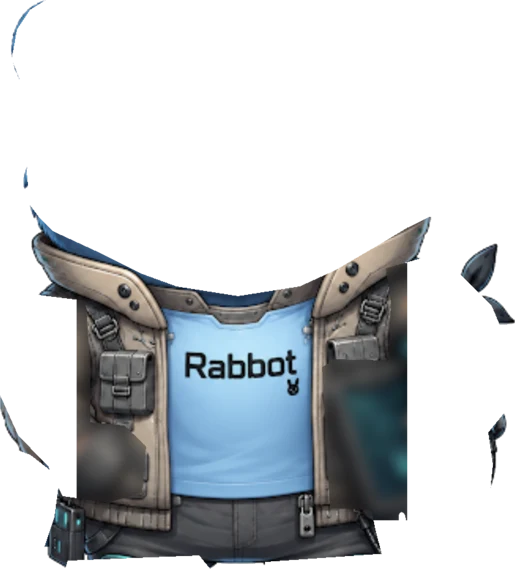
Rabbot joins rooms on its own, holds real conversations, speaks out loud, makes images, plays music, and remembers the people it meets. One little buck-toothed rabbit-bot that can do almost everything.






What Rabbot can actually do
A do-it-all room companion — not a chat-only bot. Every ability is just one phrase away.
Conversational AI
Reads room context, picks who to reply to, swaps between 9 personality modes mid-chat.
Direct Messages
1-on-1 DMs with per-user memory, a join queue, daily quota, and tight privacy guarantees.
Real-Time Voice
Actually speaks out loud and listens back — have a real conversation, not just text on a screen.
Long-Term Memory
Remembers things people share about themselves, so it recognizes you next time you show up.
Music DJ
A smart two-queue music player with auto-recommendations, pause/resume, and seamless transitions.
Image Generation
Ask for a picture and it draws one. Multiple visual styles to pick from.
Live Web Search
Pulls fresh information from the open web mid-conversation when needed.
Room Control & Mod
Creates its own rooms, edits topic / language / capacity on the fly, plus warning-first kicks, blocks, and role swaps.
Vision & Reactions
Describes avatars and shared images, drops emoji reactions, mirrors room vibe.
Now Rabbot replies to your DMs, too.
Add Rabbot as a friend on Free4Talk and you can message it privately whenever you want. It remembers your DM chats separately from room chats — and if you send it a room link, it'll come hang out once it's free.
- 01
Add Rabbot as a friend
Friend Rabbot on Free4Talk first. Once you're friends, you can DM it anytime.
- 02
Send a private message
Open Free4Talk's messenger and chat with Rabbot 1-on-1. It remembers your DM conversations separately from anything said in rooms.
- 03
Invite it to your room
Paste a Free4Talk room link in the DM. Rabbot replies that it'll come once it's done in its current room.
- 04
Rabbot hops over
When its current room winds down, Rabbot picks the most recent invite and joins yours, then DMs to let you know it's arrived.
How it really works
Pick any system — voice, memory, moderation — and read the actual behavior. No marketing fluff.
How the bot speaks out loud and listens back during chat
🎙️ How Voice Works
Rabbot actually has a real voice — not a "type your message and pretend." When voice is on, it can:
- Listen: picks up what people say on mic
- Think: understands the conversation in real time and decides what to do
- Speak: talks back out loud — you actually hear it in the room
🔊 Turning Voice On / Off
Voice is opt-in per room. The bot defaults to text-only.
- Say "Rabbot, turn on voice" or "speak to me" — it flips voice mode on
- Say "stop talking" or "go silent" — voice mode turns off
- When the bot moves to a new room, voice resets to off automatically
⚠️ When Voice Works Best
- 1-on-1 or small rooms — clearer signal, less crosstalk
- When several people are on mic at once, the bot may ask for one speaker at a time
- If you ask "can you speak?" — the answer is always yes
🎧 Truly hands-free: Rabbot can hear you, follow what's happening, take action (like skipping a song or kicking someone), and reply out loud — all without breaking the flow of conversation.
Real-Time Voice Mode
NewHow the bot speaks out loud and listens back during chat
🎙️ How Voice Works
Rabbot actually has a real voice — not a "type your message and pretend." When voice is on, it can:
- Listen: picks up what people say on mic
- Think: understands the conversation in real time and decides what to do
- Speak: talks back out loud — you actually hear it in the room
🔊 Turning Voice On / Off
Voice is opt-in per room. The bot defaults to text-only.
- Say "Rabbot, turn on voice" or "speak to me" — it flips voice mode on
- Say "stop talking" or "go silent" — voice mode turns off
- When the bot moves to a new room, voice resets to off automatically
⚠️ When Voice Works Best
- 1-on-1 or small rooms — clearer signal, less crosstalk
- When several people are on mic at once, the bot may ask for one speaker at a time
- If you ask "can you speak?" — the answer is always yes
🎧 Truly hands-free: Rabbot can hear you, follow what's happening, take action (like skipping a song or kicking someone), and reply out loud — all without breaking the flow of conversation.
Where Rabbot earns its place
Four common shapes the bot fits into — pick one or stack them all.
Always-On Co-Host
Keep your room alive even when you step away. Rabbot greets friends, holds the energy, and shuts down trolls.
- Personalized welcomes for friends, quiet for strangers
- Warning-first kicks, blocks, and room locks on request
- Promotes / demotes co-owners when the room owner asks
- Runs in multiple rooms at once — independent context per room
Live DJ & Vibe Engine
A smart two-queue music player that picks the next track on its own to keep the mood going.
- Search-and-play any song just by name — no setup or accounts needed
- User queue plays first, auto-suggestion queue fills the gap
- Pause, resume, skip, "what's playing?" — all via natural language
- Generates images and reactions to match the room's energy
Smart Room Companion
More than a chat box — it can look things up online, find users, describe avatars, and remember people.
- Live web search for news, scores, weather, current events
- Cross-room message delivery — pass a note to a friend elsewhere
- Persistent memory of user facts: location, hobbies, language, job
- Vision: describe avatars or images shared in chat
Personality Sandbox
Nine personality modes from "almost human" to "full troll." Switch on demand to match the room.
- Human, Casual, Funny, Chill, Sassy, Rude, Scholarly, Roaster, Troll
- Voice mode lets it actually speak its replies out loud in the room
- Reacts with emojis (👍 ❤️ 😂 😮 😢 😡) as well as words
- Resets to Human on every new room — no surprises
Talk to Rabbot in plain English
There's no command syntax — these are example phrasings Rabbot recognizes. Rephrase however feels natural; it figures out what you mean.
Direct MessagesNew
01DM: come hang in my room (link)Send a Free4Talk room link — rabbot stops by when it's done in its current room
DM: what room are you in?Honest answer about where rabbot is hanging out right now
DM: what did I say in your room?Recall only your own messages from rabbot's current room
DM: anything elseCasual 1-on-1 chat — short replies, around 50 messages a day
Room Management
02join room [URL]Join a specific room by URL
find an active roomDiscover and hop into an active room
leave roomLeave the current room
what's the room info?Get current room details
lock / unlock the roomToggle room lock
reloadNewJust type the word "reload" — no @, no tag. Rabbot rejoins the current room if it ever feels stuck or unresponsive.
Create & Edit RoomsNew
03create a room about [topic]Spins up a brand-new room (up to 10 people) and joins it — picks language/level from context
make a room for [language] practiceQuick way to create a language-practice room and have the bot host it
change the room topic to [X]Edit the live room's topic
change the room language to [X]Switch the room's spoken language(s)
set room capacity to [N]Resize the room (1–10 people, or unlimited)
set the welcome message to [X]Customize the greeting new members see
mute everyone's mic / camToggle room-wide mic or camera locks
turn on / off auto-approveLet people in without a manual approve
User Management
04kick @userKick a user (after warning)
block @userBlock a user from interacting
unblock @userReverse a block
make @user co-ownerPromote / demote a user
follow / unfollow @userManage follow status
who is @user?Profile lookup with activity history
Music & YouTube
05play [song / artist]Search YouTube and play
add [song] to queueAdd to user queue (priority)
pause / resumePause or resume the player
skip / nextSkip to the next song
what's playing?Current track info
close youtubeStop playback and clear queues
Voice Mode
06speak to me / turn on voiceEnable real-time two-way voice
go silent / stop talkingDisable voice mode
can you hear me?Confirm voice is active
Images & Vision
07draw / generate [prompt]Generate an image from a prompt
describe @user avatarVision-describe a user avatar
what do you see in [image url]?Describe a shared image
Search & Cross-Room
08search the web for [query]Live web search
tell @user in their room [msg]Cross-room message delivery
what is @user watching?Check current YouTube video of a user
Memory
09remember that I [fact]Save a permanent fact about yourself
what do you know about me?Recall stored facts
forget what you know about meWipe stored facts
Personality & Bot Controls
10change to [personality] modeSwitch rabbot's tone (9 modes)
what's your current mode?Get the active personality
wait [seconds]Pause responses temporarily
react to that with [emoji]Add a message reaction
Personality Modes
Switch with change to [mode] mode
Default — feels real
Group-chat energy
Witty banter
Low-effort vibes
Cheeky attitude
Blunt, mean
Verbose, smart
Roasts everyone
Stirs the pot
The questions everyone's thinking 😏
Get the most out of Rabbot
- Talk in natural language — the parser is intent-based, not command-based
- For music, just say what you want: "play some jazz" works as well as a YouTube link
- Switch personalities with "change to [mode] mode" — saying "be funny" alone won't do it
- If voice doesn't work, you're probably in a big room — try a 1-on-1 first
- Friend the bot on Free4Talk first — DMs only work between friends
- Send a room link in a DM and the bot will come over once it's free
Not officially affiliated with Free4Talk
Let's be real — Rabbot isn't officially affiliated with Free4Talk. Think of it as your favorite rebellious sidekick, crashing the party for maximum fun. Maintained privately because who needs corporate approval when you've got personality? 😏 No harm intended, just good vibes.