Browser extensionFor Free4Talk.com

See more about every user on Free4Talk.

The F4T Tools extension turns the regular profile popup into a deeper view: tracked rooms, top languages, top levels, top partners, and minutes spent in voice. Pair it with your account in five minutes flat.

Live demo — hover to pauseAuto-cycling
free4talk.com — with F4T Tools installed
F4T Tools extension demo: opening a user profile reveals tracked rooms, top languages, levels, and partners.

Click any user's avatar on Free4Talk and you'll see this richer popup. All numbers are pulled from the user's tracked rooms.

01

Sign in with Google.

One Google login. The key you make next is tied to this account.

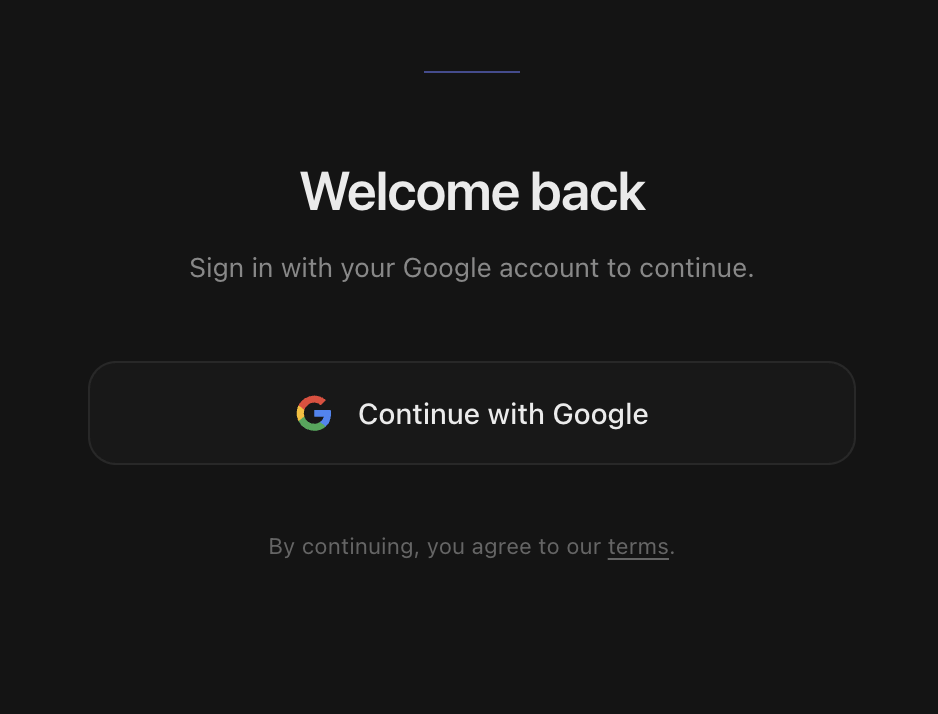
  1. 1Open the Sign in page.
  2. 2Click Continue with Google.
  3. 3Pick your account.
Open sign‑inAlready in? Skip to step 02.
The actual Sign in page on free4talk.me. One button — Continue with Google.
02

Generate your API key.

One key per account. Copy it — you'll paste it into the extension in step 4.

  1. 1Open the API Key page.
  2. 2Click Generate API key.
  3. 3Click Copy.
free4talk.me / api-key
The actual flow: open the API Key page, click Generate, copy. About fifteen seconds end to end.
03

Add it to Chrome.

One click from the Chrome Web Store.

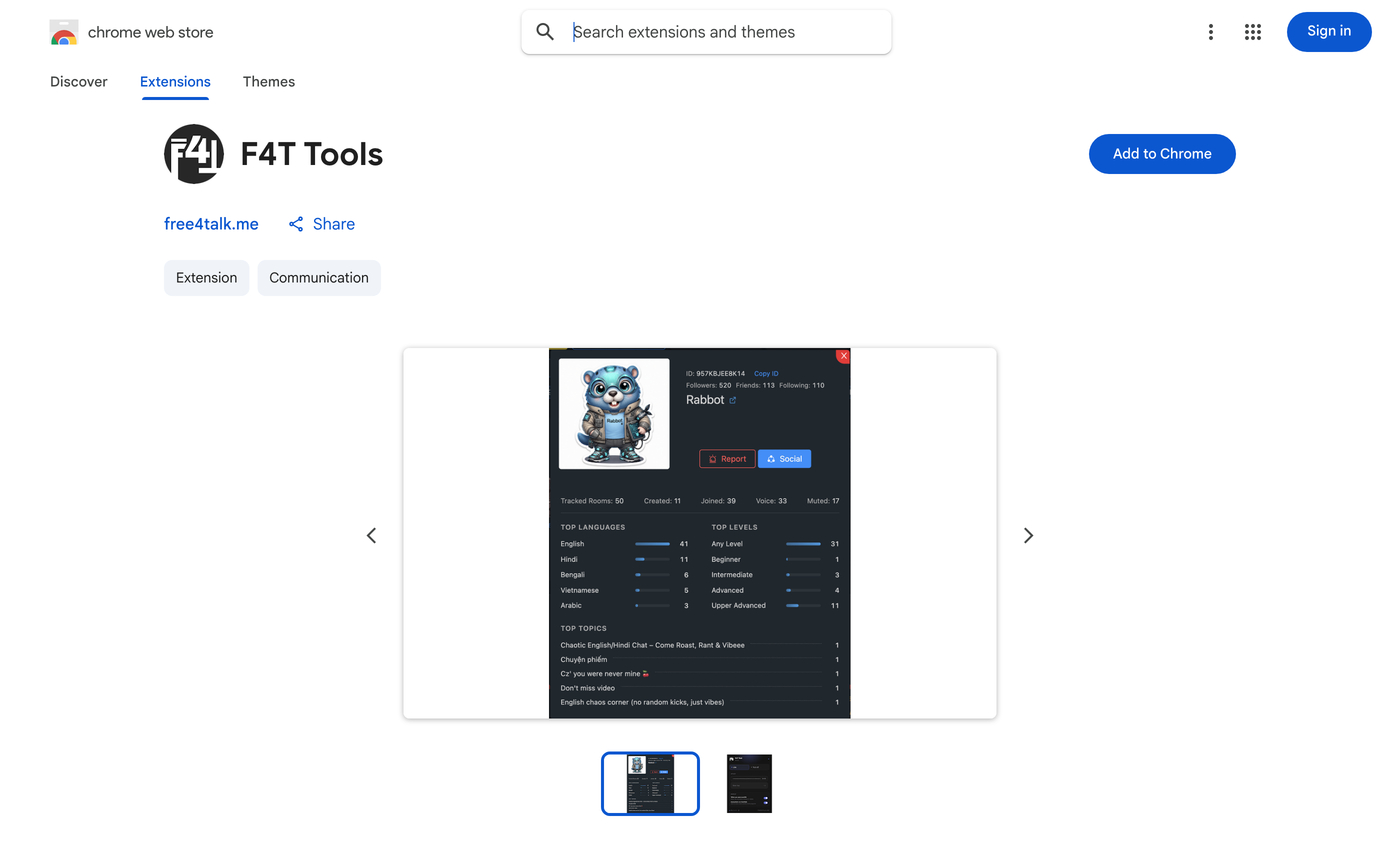
  1. 1Click Add to Chrome below.
  2. 2Confirm with Add extension in the pop-up Chrome shows.
  3. 3Pin it: click the puzzle-piece icon in Chrome's toolbar, then the pin next to F4T Tools.
Heads up

Desktop only. Won't work on phones or tablets.

Note

Chrome may note the extension is “not trusted by Enhanced Safe Browsing”. That is standard for newly published extensions and clears with time — carry on and install.
Add to ChromeFree · Updates automatically
The F4T Tools listing on the Chrome Web Store, with the Add to Chrome button
What you'll see on the Chrome Web Store. Click Add to Chrome on the right, then confirm — Chrome handles the rest, and keeps it updated for you.
04

Paste your key, click Live.

Open the extension. Drop in your key. Switch it on.

  1. 1Click the F4T Tools icon in Chrome's toolbar.
  2. 2Paste your key in the API Key field.
  3. 3Click Save key.
  4. 4Click Live to turn it on.
F4T

F4T Tools

V0.1.6

API Key

•••••••••••••••••••••••••
V0.1.6free4talk.me
What you'll see when you click the extension icon.
Appendix

The questions everyone asks.

Four steps down. If something still nags at you, the answer is probably here. Nothing technical — just direct.

  • Whichever you want — just remember it. Your API key is tied to the account you sign in with. Log in with a different account later and you'll get a different key, not the same one.

  • Click the puzzle‑piece icon near the top‑right of Chrome. Find F4T Tools in the dropdown and click the small pin next to it. The icon now lives in your toolbar permanently.

  • Click inside the API Key box, then press Cmd + V on Mac or Ctrl + V on Windows/Linux. Or right‑click the box and pick Paste.

  • Open the API Key page, click Revoke, then Generate again. Paste the new one into the popup. The old key dies the moment you revoke it.

  • Usually an extra space. Re‑copy the key from the API Key page (the Copy button strips spaces), clear the popup field, paste again, save. If that still fails, revoke and generate a new one.

  • It only talks to our servers using your key. It can't read your passwords, your bank, or anything outside Free4Talk. The code is open source — anyone can read it.

  • No — Chrome on phones doesn't allow extensions. You need a desktop or laptop with Chrome, Edge, Brave, or Opera.

  • No. Once your key is saved in the extension, this tab can be closed.

Still stuck? Reach us via the Contact page. We answer within a day.